





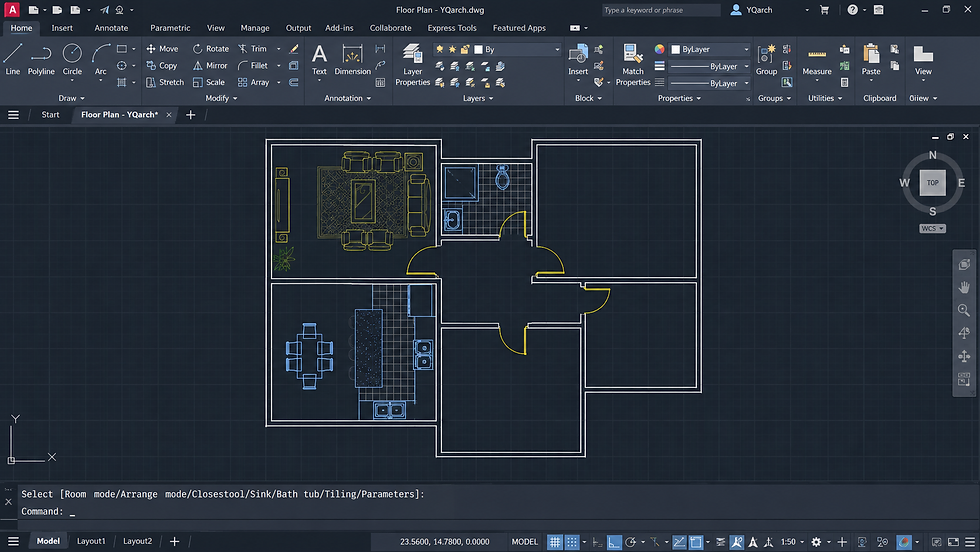


AUTOCAD COURSE

✅ 1:1 Personalized Career Coaching
🎯 Learn from Industry-Experienced Professors
💼 Build Professional Portfolio with Expert Guidance
🤖 AI-Integrated Curriculum for Future-Ready Skills
💬 Enhance Soft Skills & Personality for Career Success
DURATION - 6 MONTHS
CAMPUS / ONLINE
ARCHITECTURE VISUALIZATION is the art of transforming architectural concepts into realistic 3D visual experiences using industry-standard design and visualization software. It enables architects, interior designers, builders, and clients to explore buildings and spaces before construction through photorealistic images, walkthroughs, and immersive presentations.
AUTOCAD forms the foundation of the architectural workflow by providing precise 2D drafting and technical documentation, including floor plans, elevations, sections, and construction drawings. These technical drawings are then developed into detailed 3D models using professional software, where materials, lighting, landscaping, furniture, and environmental elements are added to create lifelike visualizations.
At YUVASHAKTI ANIMATION, our Architectural Visualization program combines AutoCAD, SketchUp, Blender, Enscape, Twinmotion, and V-Ray, along with AI-powered design workflows, to prepare students for the modern AEC (Architecture, Engineering, and Construction) industry. Through hands-on projects, learners develop skills in drafting, 3D modeling, texturing, lighting, rendering, interior and exterior visualization, and cinematic architectural walkthroughs while building a professional portfolio.
Students gain practical experience by working on real-world residential and commercial projects, developing the technical and creative skills expected by the industry. With expert mentorship, portfolio development, and placement support, graduates are prepared for rewarding careers in architecture, interior design, real estate visualization, and the global AEC industry.
build your creative
in the world of design and visualization

INDUSTRY FOCUSED CURRICULUM

AUTOCAD
The AutoCAD course provides comprehensive training in industry-standard 2D drafting and technical documentation used in architecture, interior design, and construction. Students begin by learning the AutoCAD interface, workspace, drawing tools, coordinate systems, precision drafting, and layer management to create accurate architectural drawings and professional construction documents.
The program covers floor plans, elevations, sections, dimensions, annotations, blocks, Xrefs, layout management, plotting, and basic 3D modeling. Through hands-on projects, students develop residential and commercial architectural drawings while following industry-standard drafting practices and workflows. The course concludes with a portfolio-ready architectural documentation project, preparing students for careers in architecture, interior design, construction, and the AEC industry.
Skills Covered: AutoCAD Interface • 2D Drafting • Floor Plans • Elevations & Sections • Precision Drawing • Layers & Blocks • Dimensions & Annotations • Xrefs • Basic 3D Modeling • Layout & Plotting • Technical Documentation • Portfolio Development


SKETCHUP
The SketchUp course introduces students to intuitive 3D modeling techniques used in architecture, interior design, and architectural visualization. Students begin by learning the SketchUp interface, navigation tools, drawing techniques, Push/Pull modeling, precision measurements, and workspace organization to create accurate architectural models with confidence.
The program covers modeling architectural elements such as walls, doors, windows, roofs, furniture, and landscape features, along with groups, components, materials, textures, scenes, camera views, and presentation techniques. Students will also learn model optimization, file export, and integration with rendering software such as Enscape and Twinmotion to create realistic architectural visualizations. The course concludes with a portfolio-ready 3D architectural project, preparing students for careers in architecture, interior design, architectural visualization, and the AEC industry.
Skills Covered: SketchUp Interface • 3D Modeling • Push/Pull Modeling • Groups & Components • Materials & Textures • Architectural Modeling • Scene & Camera Setup • Model Optimization • Software Integration • Presentation Techniques • Portfolio Development

BLENDER
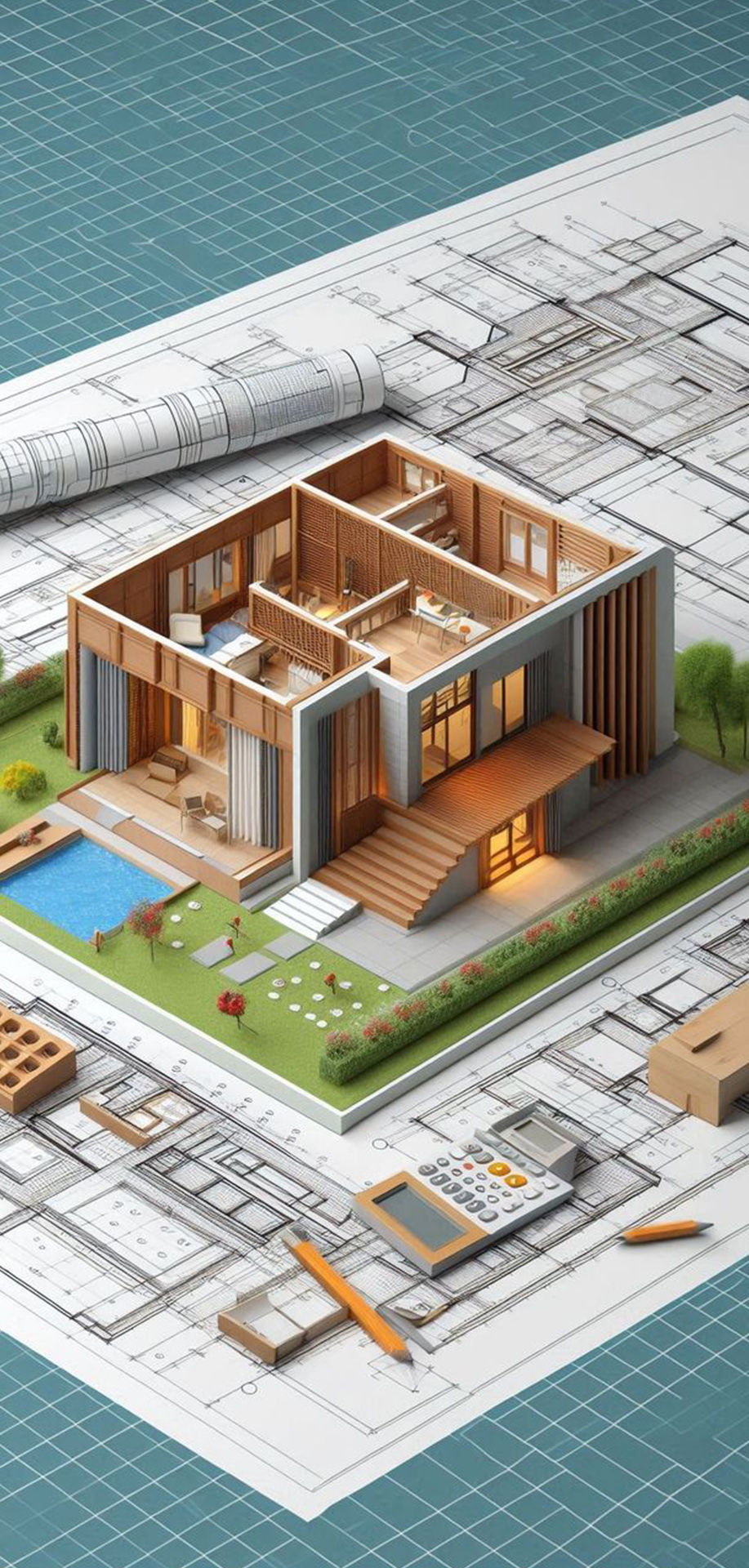
The Blender course introduces students to professional 3D modeling and architectural visualization workflows used in architecture, interior design, and real-time visualization. Students begin by learning the Blender interface, navigation, object transformation, precision modeling, and modifiers to create accurate architectural structures and environments efficiently.
The program covers architectural modeling, UV mapping, materials, shaders, texturing, lighting, camera composition, and photorealistic rendering using Cycles and Eevee. Students will also explore scene optimization, asset management, and exporting models for visualization and interactive applications. Through hands-on projects, learners create realistic interior and exterior architectural scenes, culminating in a portfolio-ready architectural visualization project that prepares them for careers in architecture, interior design, visualization, and the AEC industry.
Skills Covered: Blender Interface • 3D Architectural Modeling • Modifiers • UV Mapping • Materials & Shaders • Lighting • Camera Composition • Cycles & Eevee Rendering • Scene Optimization • Asset Export • Architectural Visualization • Portfolio Development

ENSCAPE
The Enscape module introduces students to industry-leading real-time rendering software used to create immersive and photorealistic architectural visualizations. Students will learn to import models from AutoCAD, SketchUp, and Blender, apply realistic materials, lighting, vegetation, furniture, weather effects, and environmental settings to transform 3D models into lifelike architectural presentations.
The course covers cinematic camera animation, walkthroughs, flythroughs, VR presentations, real-time rendering, image optimization, and professional export techniques. Through hands-on projects, students will create high-quality interior and exterior visualizations, animated walkthroughs, and client-ready presentations, culminating in a portfolio-ready architectural visualization project that prepares them for careers in architectural visualization, interior design, real estate marketing, and the AEC industry.
Skills Covered: Real-Time Rendering • Model Import • Materials & Textures • Lighting & Environment • Vegetation & Assets • Camera Animation • Walkthroughs & Flythroughs • VR Visualization • High-Quality Rendering • Project Optimization • Professional Presentation • Portfolio Development
FUNDAMENTALS
The Architectural Design Fundamentals module builds a strong foundation by introducing students to the core principles of architectural planning, design, and visualization. Learners explore color theory, design principles, composition, aspect ratio, basic architectural sketching, bubble diagrams, space planning, Vaastu concepts, and residential house planning, developing the skills required to create functional and aesthetically balanced architectural designs.
Through practical exercises, students strengthen their visual thinking, spatial planning, and design problem-solving abilities while learning to communicate architectural ideas through sketches, layouts, and conceptual drawings. By the end of the module, they will have a solid foundation to confidently progress into AutoCAD drafting, 3D modeling, architectural visualization, and portfolio-based projects.
Skills Covered: Color Theory • Design Principles • Architectural Sketching • Bubble Diagrams • Space Planning • Vaastu Planning • House Planning • Composition Techniques • Visual Communication • Design Thinking


3D PRINTING
The 3D Printing module introduces students to the process of converting digital architectural models into precise physical prototypes using modern additive manufacturing technology. Students will learn the complete workflow, including model preparation, STL export, slicing, printer setup, material selection, print settings, and post-processing, enabling them to create accurate architectural scale models for design visualization and presentation.
The course also covers print optimization, support generation, troubleshooting, and best practices for producing high-quality models using PLA and other common printing materials. Through practical projects, students will create residential and commercial architectural models that enhance client presentations, design validation, and portfolio quality while gaining hands-on experience with industry-standard 3D printing workflows.
Skills Covered: 3D Print Workflow • STL Export • Slicing Software • Printer Setup • Material Selection • Print Optimization • Support Generation • Post-Processing • Architectural Scale Models • Portfolio Development

ADOBE PHOTOSHOP
The Adobe Photoshop course in architecture focuses on enhancing architectural renders, creating presentation boards, and improving visual communication of design concepts. It is widely used in the industry for post-processing images, adding textures, lighting effects, annotations, and producing professional architectural presentations.
ADOBE PREMIERE PRO
The Adobe Premiere Pro course in architecture focuses on editing architectural walkthroughs, project presentations, and visualization videos into professional cinematic sequences. It is widely used in the industry to combine renders, animations, and narration, helping architects create impactful video presentations for clients and portfolios.

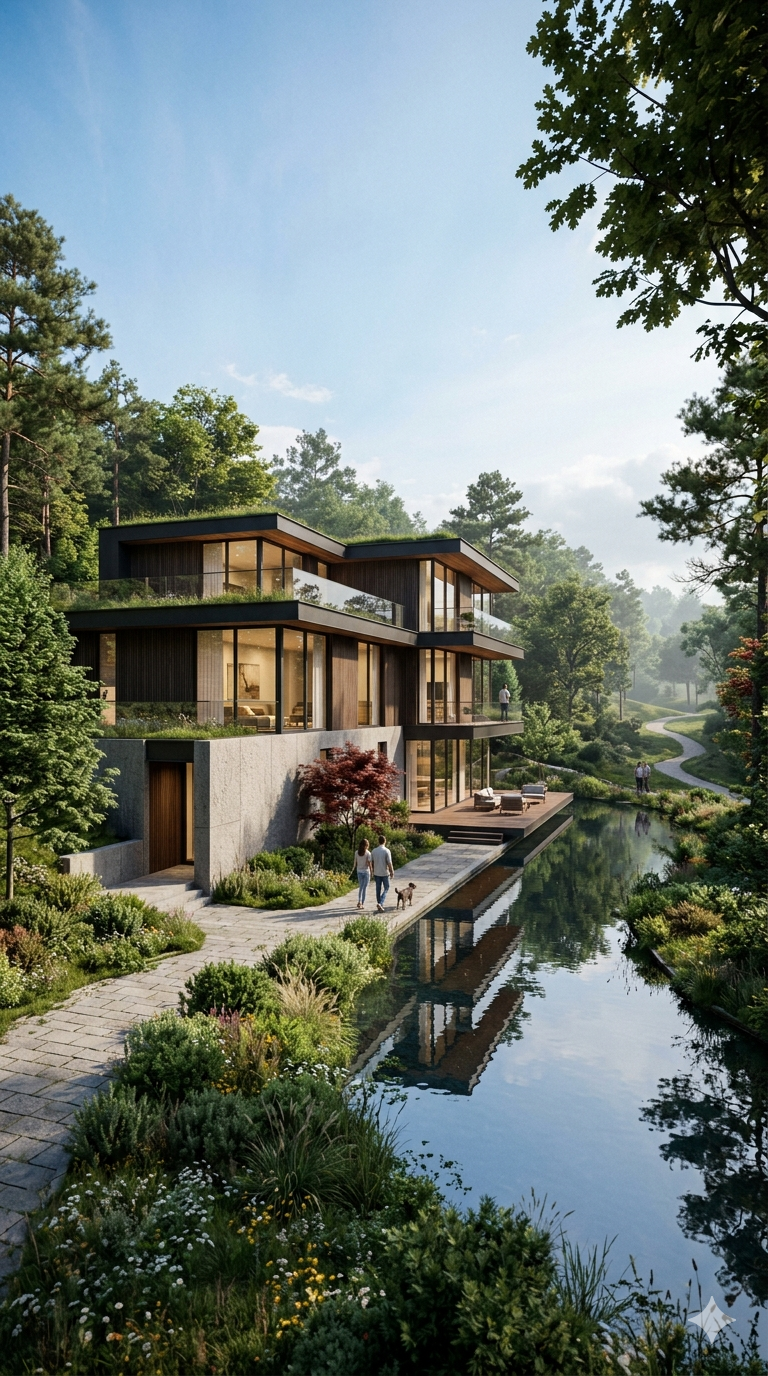
Twinmotion course in architecture focuses on real-time visualization, enabling students to transform 3D models into realistic renders, animations, and walkthroughs for architectural presentations. It teaches how to import models from SketchUp, and Blender, and enhance them with lighting, materials, environments, and atmospheric effects. It provides fast, real-time rendering and helps clearly communicate design intent through immersive and cinematic experiences.
TWINMOTION


PORTFOLIO
DEVELOPMENT
This module focuses on helping students build a professional, industry-ready portfolio that showcases their creativity, technical expertise, and design thinking. Students will learn how to curate their best projects, organize them effectively, and present their work using strong visual hierarchy, compelling storytelling, and professional layouts suitable for both print and digital platforms
The program emphasizes personal branding, portfolio presentation, project documentation, and industry best practices to help students create a unique professional identity. Learners will also develop portfolio websites, PDF portfolios, presentation decks, and showreels that effectively highlight their skills to employers and clients. The module concludes with a comprehensive portfolio review and presentation, ensuring every student graduates with a polished, job-ready portfolio prepared for interviews, internships, freelance opportunities, and creative careers
Skills Covered: Portfolio Curation • Personal Branding • Project Presentation • Visual Storytelling • Layout Design • Portfolio Website • PDF Portfolio • Showreel Presentation • Industry Review • Career Preparation


GENERAL INFO
3 Days Training
(Guided Practicals + Theory)
3 Days Practice
(Self Practice or LAB Practice
Duration : 6 Months
Only Evening Class Avalible now
5PM TO 9PM Any 1 Hr Slot for Class
Campus / Online Both Available
Upon the Course Completion
Certificate by Yuvashakti Animation
JOB OPPORTUNITIES

Architect
3D Visualizer
AutoCAD Artist
Design Architect
Interior Designer
Architectural Designer
Construction Project
Urban Planning
FEES STRUCTURE
Call Us for Course Investment &
Discount's